Installation and Requirements
InstantSiril requires an Apple Macintosh system. Windows is currently not supported. I am evaluating porting options based on user feedback for this software.
The software Siril must be obtained from the website https://siril.org and copied into the program directory. InstantSiril also uses the following additional modules:
Mandatory:
- Starnet: The program and the AI data must be installed and linked in Siril under “Preferences / Miscellaneous”. Link to instructions
- Graxpert: The program must be installed and linked in Siril under “Preferences / Miscellaneous”. https://graxpert.com
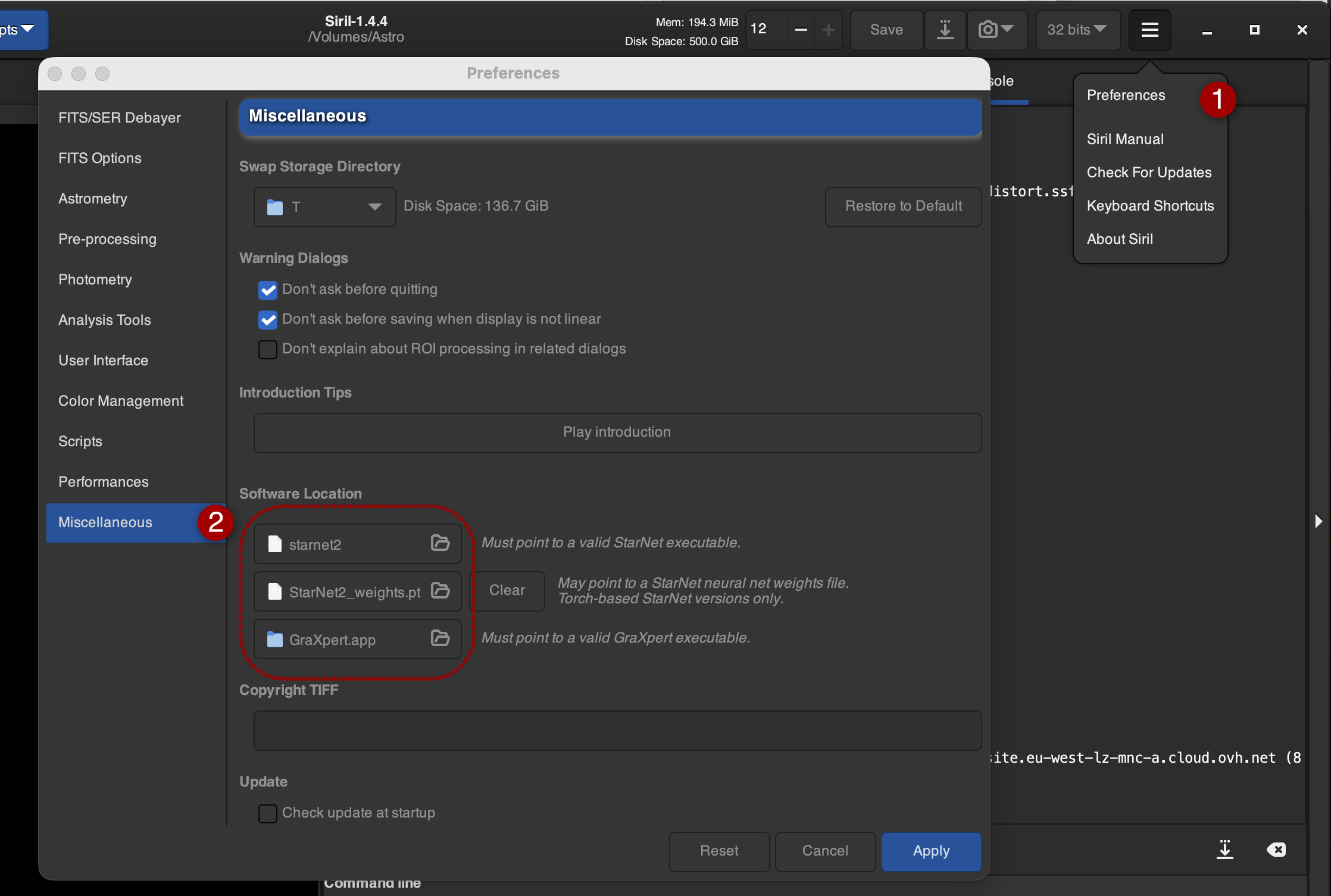
Required Python Scripts:
Activate the following Python scripts in Siril:
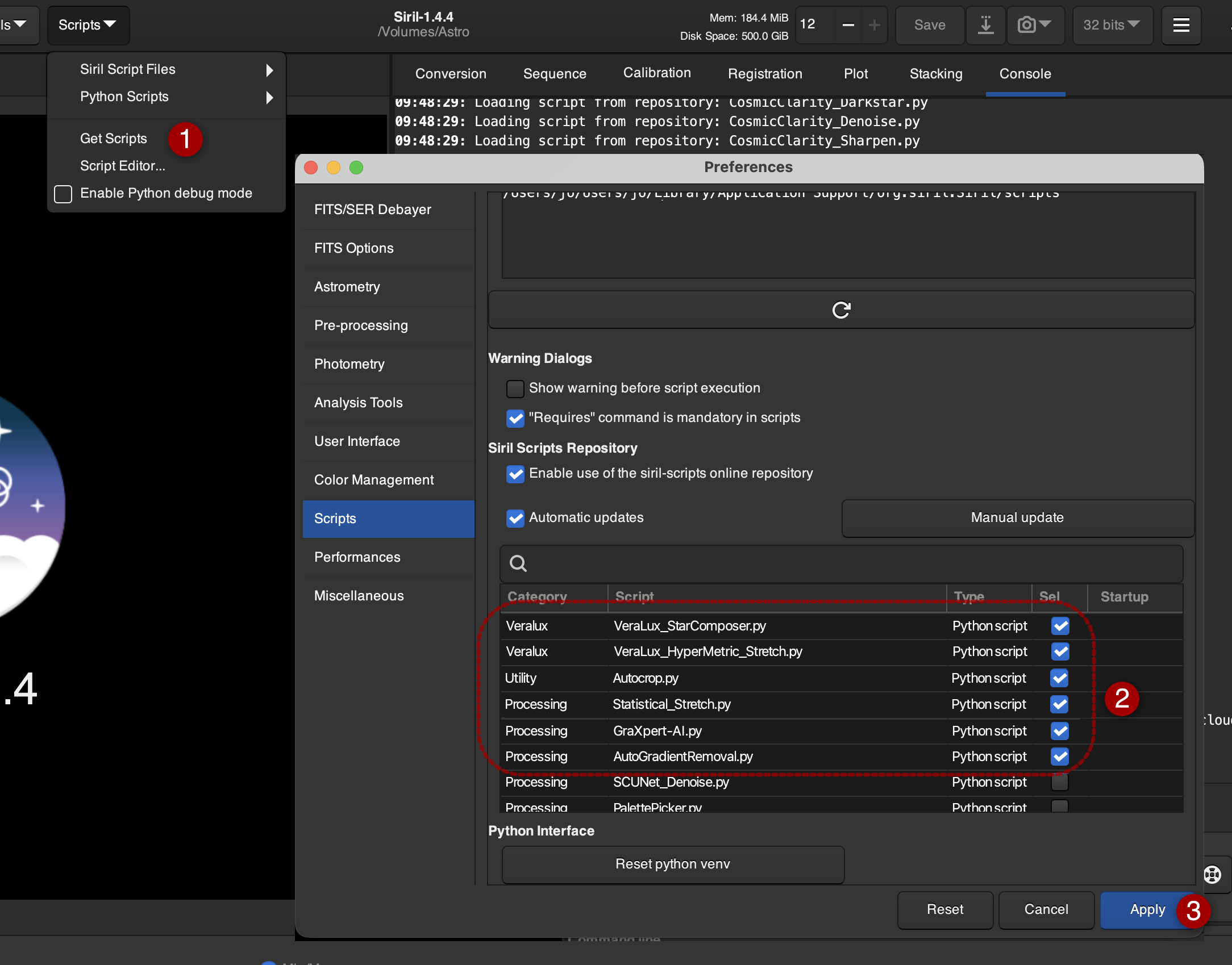
Recommended (Paid):
- SyQon: Prism / Starless / Parallax: (Siril version) https://syqon.eu
- RC-Astro: NoiseXTerminator / StarXTerminator / BlurXTerminator: (CLI Version) https://www.rc-astro.com
Syqon requires the activation of these scripts:

For the RC-Astro Suite, these scripts must be activated:

Setup
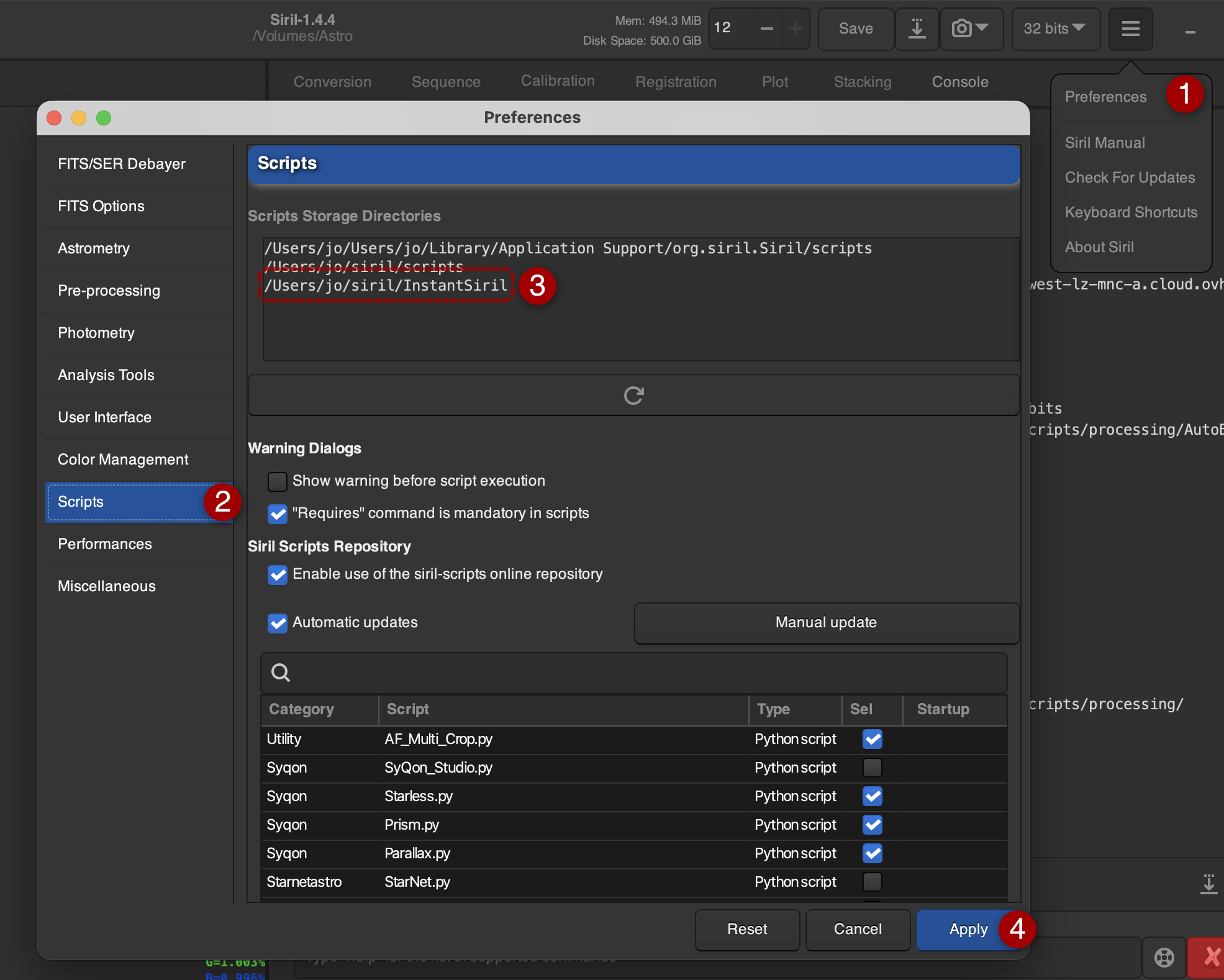
In Siril, a working directory for image processing as well as a directory for custom scripts must be defined. Upon the first launch, InstantSiril will ask for the Siril working directory and the custom scripts directory. The configuration is saved in the file instantsiril_conf.txt in the user's home directory.
Setting the path for user scripts:
(I recommend creating a dedicated directory for InstantSiril, e.g., "/Users/jo/siril/InstantSiril". Adjust the path to match your own directory structure.)
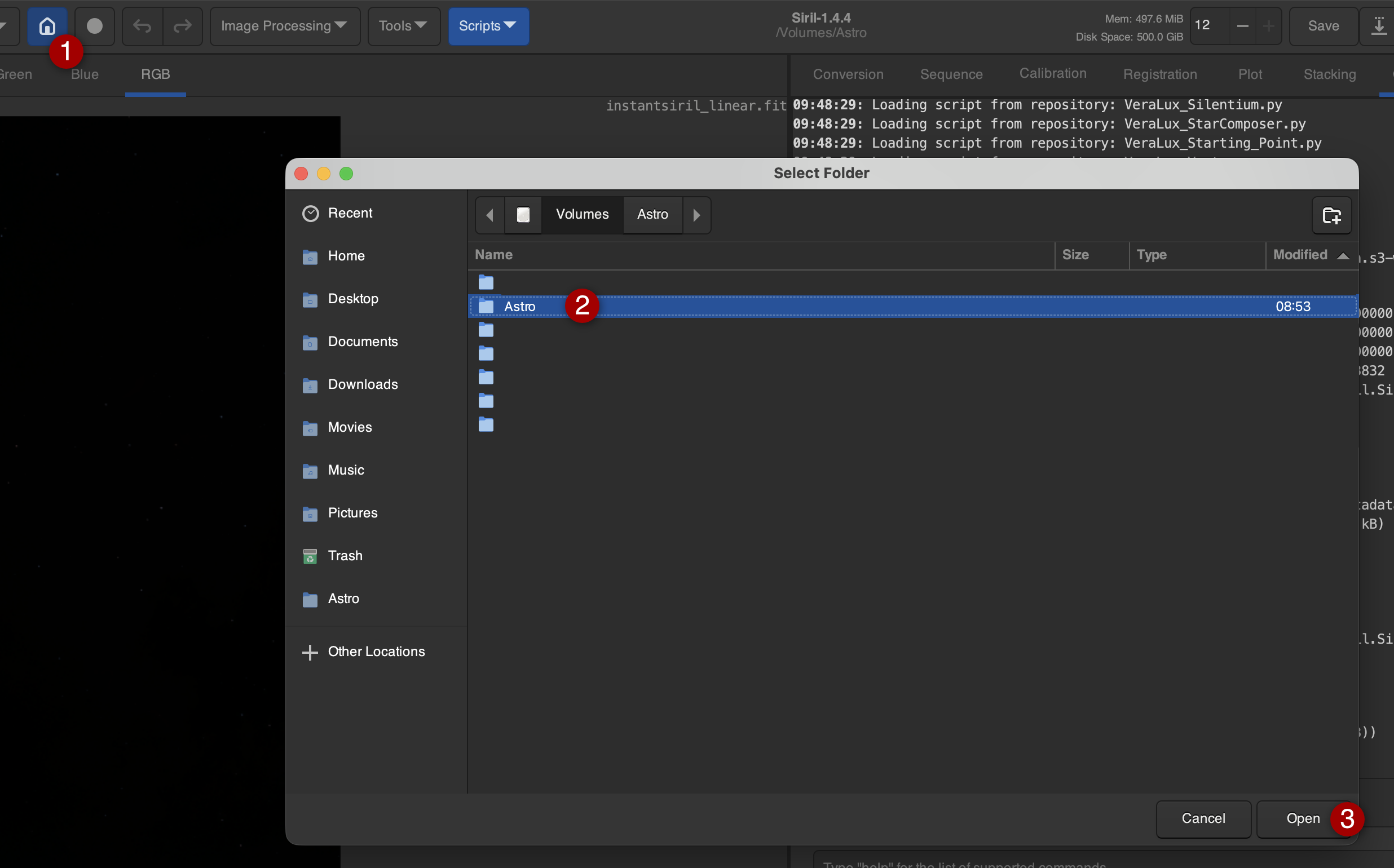
Setting the path for the Siril working directory:
(Example here: Hard drive "Astro", set your own path)
>>> Siril Function Test
>>> Back to the Table of Contents