Siril Function Test
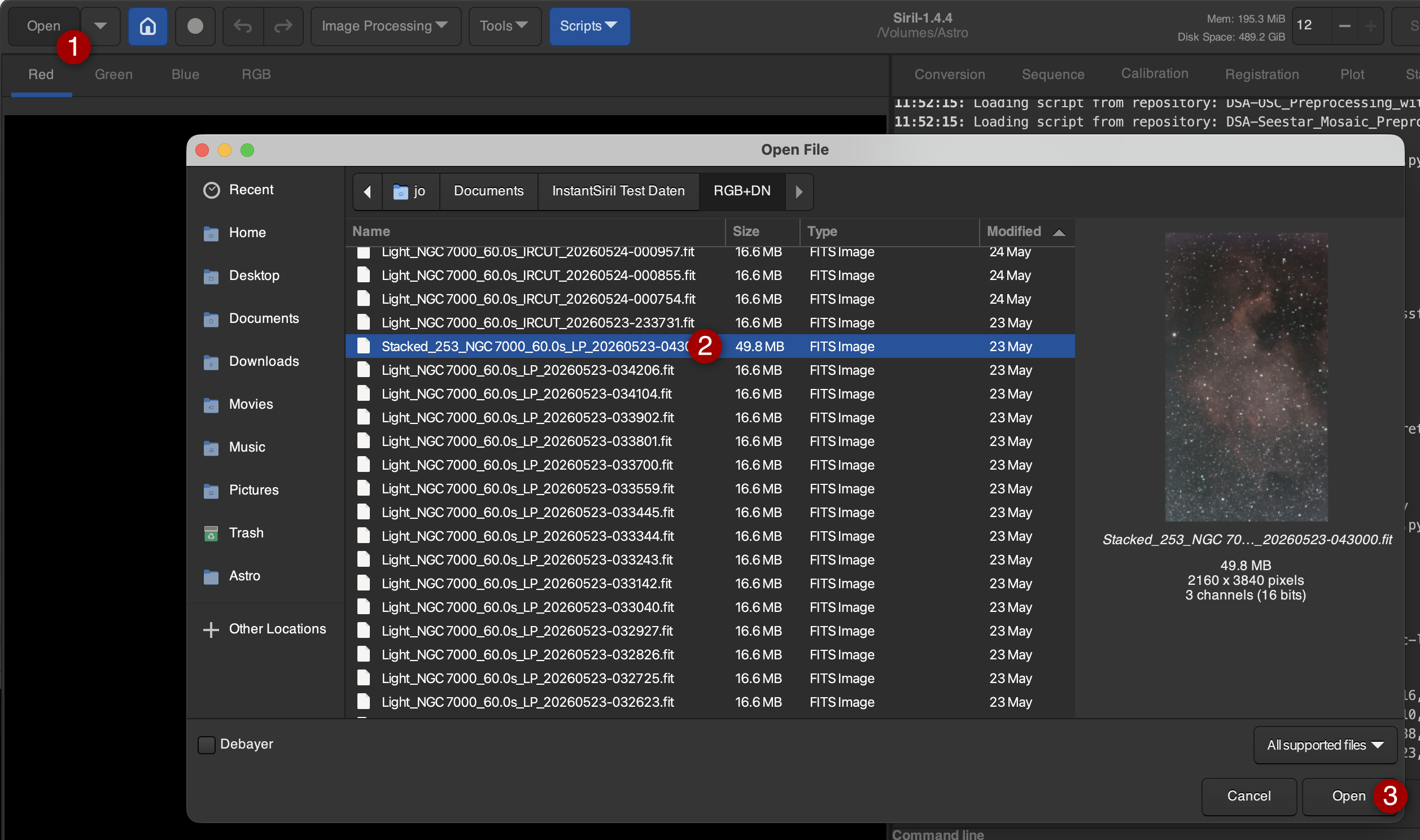
Before we turn to InstantSiril, we should briefly check if all modules in Siril are functioning correctly. To do this, it is best to load a stacked image from a Seestar recording (created via the Seestar software):
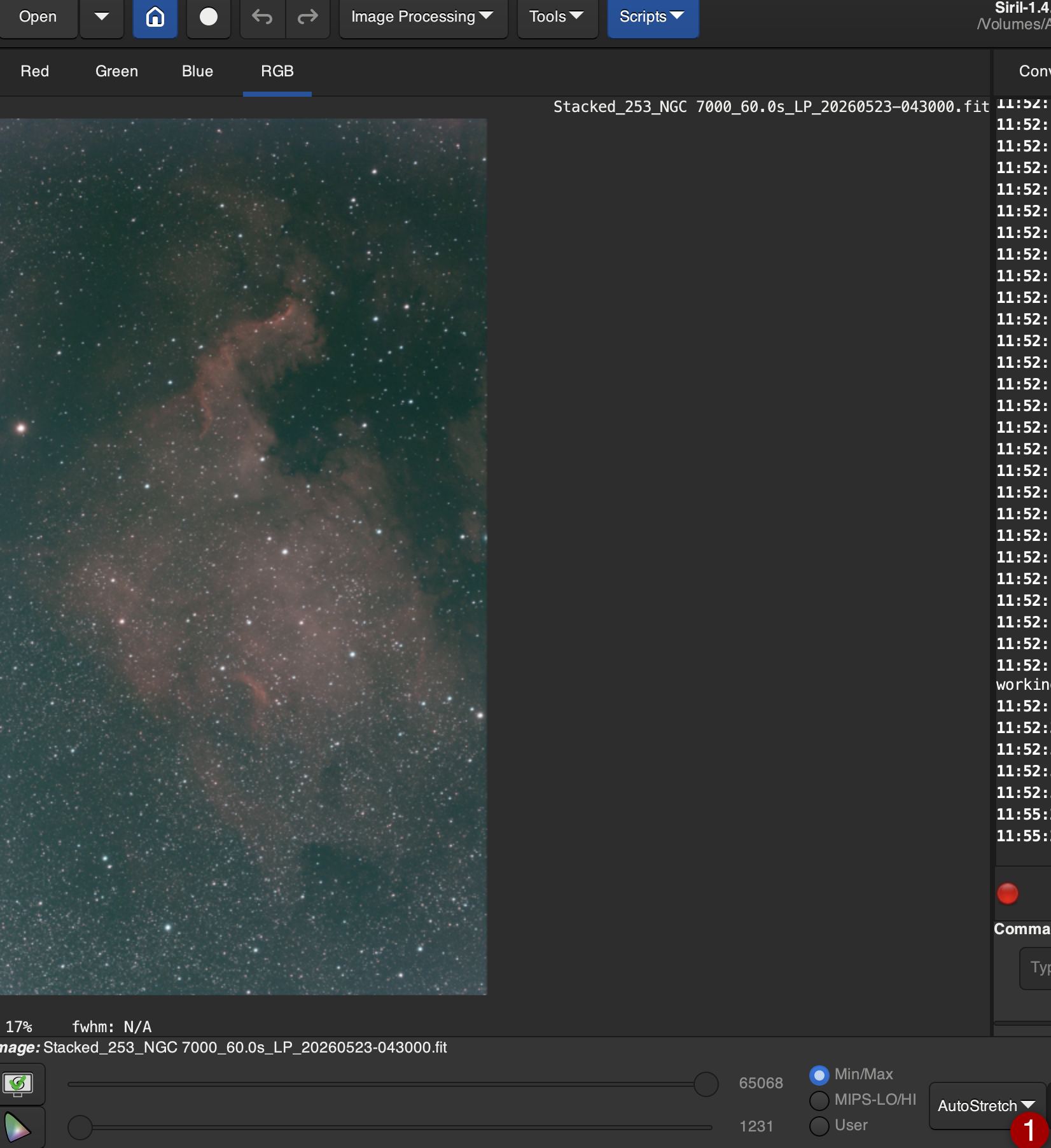
To make sure we can see something, we activate "AutoStretch." This has no effect on the actual image; it only changes the screen display:
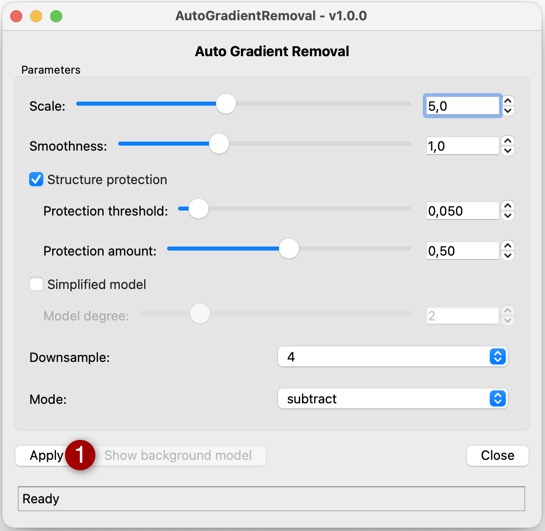
1) Removing Gradients:
Under Scripts / Python Scripts / Processing, open AutoGradientRemoval.py and run it using the suggested values:
Under Scripts / Python Scripts / Processing, open GraXpert-AI.py, select "Background Extraction," and run it using the suggested values:
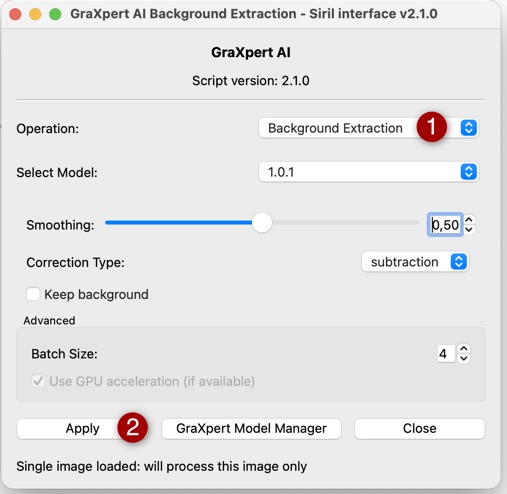
In the same dialog, it is best to test the "Denoising" operation and the two "Deconvolution" operations. The suggested parameters can always be used, as this is only intended to test whether the module works fundamentally. If necessary, use the GraXpert Model Manager to download any missing internal modules.
2) Star Removal
Under Image Processing / Star Processing, select "StarNet Star Removal…" This dialog can also be executed using the standard values:
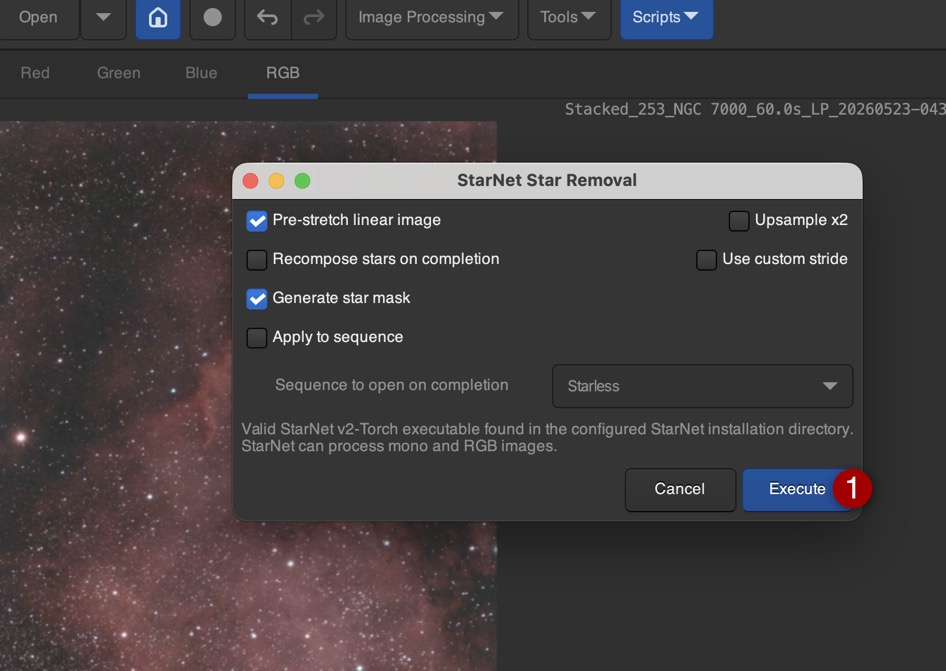
A starless image should now be available.
3) Stretching
To test the stretching procedures, start the following scripts and check if a dialog box appears. It is not necessary to perform a specific test function here:
- Scripts / Python Scripts / VeraLux / VeraLux_HyperMetric_Stretch.py
- Scripts / Python Scripts / VeraLux / VeraLux_StarComposer.py
- Scripts / Python Scripts / Processing / Statistical_Stretch.py
4) Other Modules
If RC-Astro and/or SyQon tools are being used, they should also be tested with the test image once to ensure correct configuration. If in doubt, please consult the manufacturer's documentation.
>>> InstantSiril Configuration
>>> Back to the Table of Contents